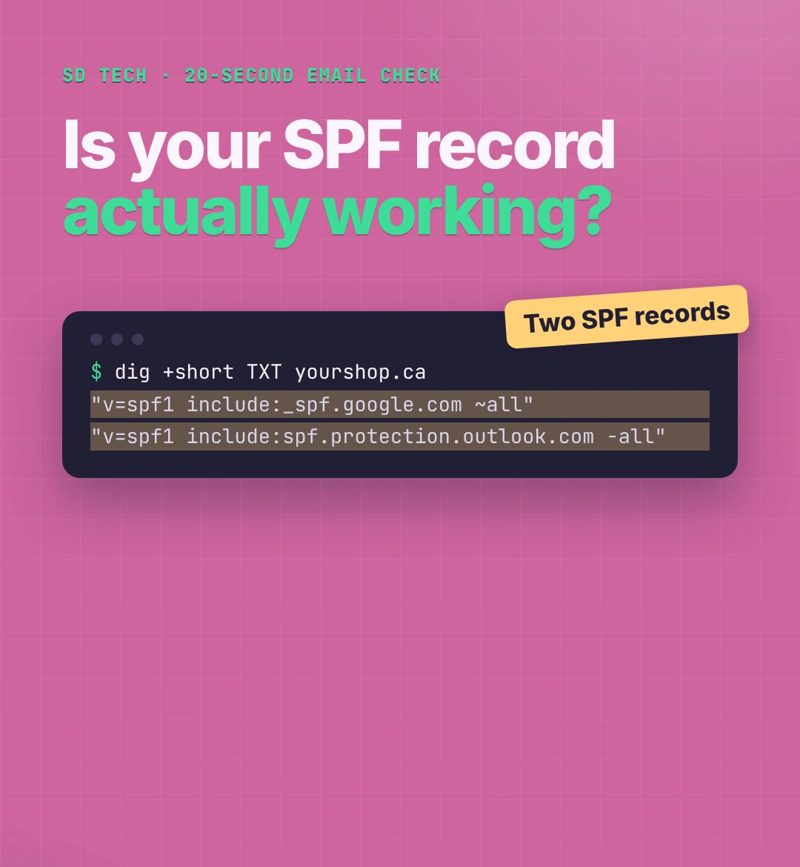
Some of your email lands in junk folders, and nobody can say why. One cause is a DNS setting that takes twenty seconds to check.
SPF is one of the three DNS records that tell other mail servers your email really came from you (the other two are DKIM and DMARC; the plain-English version is here). It's a single line of text that lists the services allowed to send as your domain.
There's one rule that catches a lot of small businesses: a domain gets one SPF record. Not one per provider. One.
The short version
- A domain gets one SPF record. When there are two, receiving servers count neither.
- It usually happens after a move between email providers, or when a new service that sends as you is added.
- The fix is one merged record that lists only the services still sending your mail.
What happens when there are two
The SPF standard is direct about it. When a receiving server looks up your domain and finds more than one record starting with v=spf1, the result is "permerror" (RFC 7208, section 4.5). The standard describes that as records that "could not be correctly interpreted," an error that needs someone to fix the DNS (section 8.7).
In plain terms, the receiver doesn't pick the better of the two. Neither one counts. Your mail loses the SPF pass it should have had. If DKIM isn't set up either, DMARC has nothing left to pass, and a strict DMARC policy then tells receivers to quarantine or reject the message. Microsoft says the same in its setup guide: only one SPF record is allowed per domain or subdomain (Microsoft Learn).
How a domain ends up with two
Nobody sets out to publish two. It usually happens one of these ways:
- A move between email providers. The new provider's setup page says "add this SPF record," so someone adds it, and the old one stays.
- A new service that sends as you. A newsletter tool, an invoicing system or a website form asks for "its" SPF record, and it goes in as a second line instead of being merged into the first.
- A website or DNS move. Records get copied across by hand, and a second copy appears next to the first.
Each looks reasonable on its own. Together they cancel out.
What I ran
On a Mac or Linux machine:
dig +short TXT example.caOn Windows:
nslookup -type=txt example.caSample output, invented office:
"v=spf1 include:spf.protection.outlook.com -all"
"v=spf1 include:_spf.oldhost.example ~all"
"google-site-verification=..."
What to look for: count the lines that start with v=spf1. One is right. Two or more is the error, whatever is in them. Other TXT lines, like site verification codes, are normal and don't matter here.
The fix: one merged record
- List every service that genuinely sends email as your domain today: your mailbox provider, plus anything else that sends invoices, newsletters or form replies.
- Delete the records for services you no longer use. That old host from three years ago doesn't need to stay.
- Combine what's left into one record: one
v=spf1at the start, each sender'sinclude:or address in the middle, and one ending (-allor~all). Microsoft's guide shows the format, for examplev=spf1 include:spf.protection.outlook.com -allfor a Microsoft 365 domain. - Keep it short. The standard caps the lookups a record can trigger at 10; go over and the result is the same permerror (RFC 7208, section 4.6.4).
- Run the check again once the change has had time to spread, and send a test message to an outside address.
A checklist you can use today
- ☐ Run the lookup on your main domain and count the
v=spf1lines. - ☐ Do the same for any other domain you send from.
- ☐ Write down every service that sends as you, and who looks after it.
- ☐ Remove records for services you've stopped using.
- ☐ Merge the rest into one record with one ending.
- ☐ Check that DKIM is switched on with your mail provider while you're in there.
What I'd check first
The lookup itself. It takes twenty seconds and tells you straight away whether there's a problem. If there's only one record, look at whether every service in it is one you still use. If there are two, merge them before you do anything else with DKIM or DMARC: those work best on top of an SPF record that passes.
I check SPF, DKIM and DMARC in every free IT check-up. If you're in the Fraser Valley and want a second set of eyes on your domain, book one at sd-techsolutions.com.
This started as a LinkedIn post. Join the conversation there.